



Ecommerce teams hear it all the time: Better product pages need “more.” More multimedia, more copy, more features, more detail.
And while that’s certainly true, there’s one risk worth avoiding: an overabundance of information that overwhelms, and ultimately repels, the shopper.
To be clear, it’s almost always better to err on the side of oversharing. Shoppers shouldn’t have to guess about how a product works or whether it’s the right solution for their needs. But how that information is organized and presented can determine whether it empowers customers to make a decision, or simply bombards them with even more confusing noise to sift through.
In fact, the best product content can do more than just show shoppers what a product does or what it looks like — it surfaces answers exactly where questions arise.
If someone is looking at a laptop’s ports, a stroller’s folding mechanism, or the storage system inside a refrigerator, the most useful explanation isn’t buried in a paragraph farther down the page, but beside the feature itself.
It’s that principle that makes Amazon Premium A+ content so powerful. Amazon hotspots let brands place relevant product information directly onto the features shoppers are already examining, transforming a static image into a more intuitive, self-guided experience. Learn how to infuse it into your product pages.
How Amazon’s Interactive Hotspots Turn Product Images Into Detailed Answers
Interactive hotspots are one of the enhanced modules available through Amazon Premium A+ Content, the platform’s more advanced alternative to Basic A+. While Basic A+ Content gives brands some great tools — including room for images, text, and comparison modules — Premium A+ introduces even more interactive formats, including video, product carousels, Q&A sections, and more.
Most importantly: These tools work. Amazon reports that Basic A+ Content can increase sales by up to 8%, while well-implemented Premium A+ Content can increase sales by as much as 20%.
But that qualifier — “well-implemented” — is an important caveat. While interactive formats can be a great way to elucidate a product’s value, they can just as easily add another layer of clutter if brands aren’t careful.
The strongest hotspot experiences depend on careful choices about what information to surface, where to place it, and how much detail shoppers actually need.
How To Build Hotspots That Help Shoppers Decide
Adding hotspots is easy. Figuring out what to add — and where to add it — is the real challenge.
Effective Amazon hotspots require strong editorial discipline, with each interaction ideally addressing a specific, recurring shopper question or purchase decision.
1. Start With the Questions Shoppers Actually Have
Don’t begin by cataloging every visible feature. Instead, start with the details most likely to affect whether someone buys the product. That might include whether an accessory is compatible, how a mechanism works, what a material contributes to durability, or why one model differs from another.
In fact, two top factors that help shoppers perceive high product quality and value are evidence of durability and longevity (54%) and positive customer reviews and ratings (47%).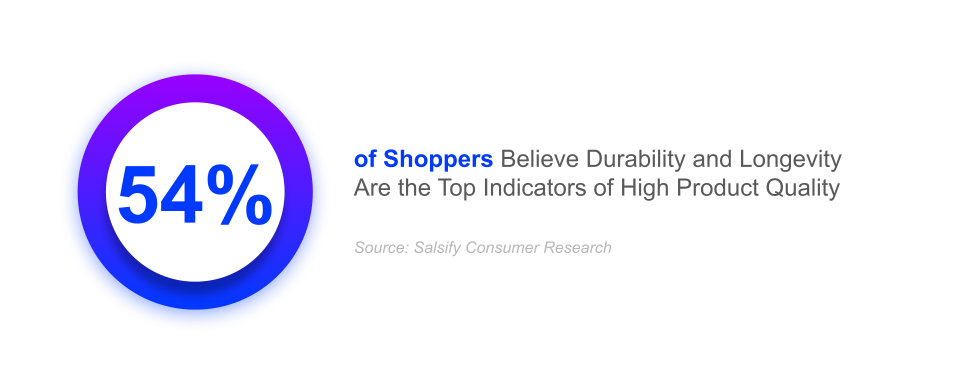 Infuse hotspots that earn their place by answering a meaningful question, not simply identifying something the shopper can already see.
2. Make Every Hotspot Clear and Useful
Each marker should point to a distinct, recognizable part of the image, and each explanation should focus on one idea. Crowded markers, vague placement, and lengthy pop-ups only recreate the friction hotspots are intended to eliminate.
The copy should also explain why the feature matters. “Stainless steel construction” identifies a material. “Corrosion-resistant stainless steel makes the surface easier to clean and maintain” connects that material to a practical benefit for the consumer.
3. Treat the Module as Part of the Larger Page
Hotspots should complement the rest of the product detail page, rather than repeat it. If a specification is already easy to find in the title, bullets, or comparison chart, duplicating it inside the image will fail to provide much added value.
Brands should also review how the experience translates to smaller screens, where tightly clustered markers and long explanations become harder to navigate. Testing different images, copy, feature priorities, and numbers of hotspots can help identify the version that gives shoppers the clearest path forward.
Again: The goal isn’t to fit the maximum amount of information into a single image; it’s to surface the right information at the moment it becomes relevant or useful.
How Brands Can Scale Amazon Premium A+ Content
At scale, Premium A+ Content becomes as much an operational challenge as a creative one. Brands need a way to carry the same level of clarity and consistency across large product catalogs; ideally, without recreating every experience by hand.
That demands treating Premium A+ Content as a repeatable system rather than a series of one-off creative projects. For example, teams can begin by developing reusable hotspot templates for related product categories, then populate those layouts with approved claims, images, and other features from a trusted, centralized source of truth.
The goal is to create a flexible foundation that gives each product the right level of detail without sacrificing accuracy, consistency, or speed. Enhanced content technology can also help coordinate that process, connecting structured product data with reusable layouts and retailer-ready publishing workflows.
Salsify’s Enhanced Content capabilities, for example, support premium formats such as interactive hotspots, video, and comparison modules while helping teams scale successful experiences across their catalogs.
Turn Product Detail Into Product Clarity
The strongest product detail pages (PDPs) don’t just shovel piles of information under the customer’s nose: They make the right details easier to find, assess, and understand.
For brands, the opportunity goes beyond building a more impressive Amazon page. Ecommerce conversion in 2026 is about creating product experiences that answer questions more intuitively, reduce friction, and help shoppers move forward with confidence.

Guide for Enhanced Content Excellence
Are your product pages giving shoppers the confidence they need to buy? Explore Salsify’s “What Is Enhanced Product Content?” guide to learn how richer media, interactive elements, and other enhanced experiences can build trust and drive recurring sales.
READ MORE.svg)
